

Dreami – Enriched Texting and Calling vv0.9.5.3
Dreami puts an interactive, AI-powered texting and voice-calling app on your Zoi’s phone. An AI provider is needed to create replies for your Zois, and you may use a provider of your choice.
Features
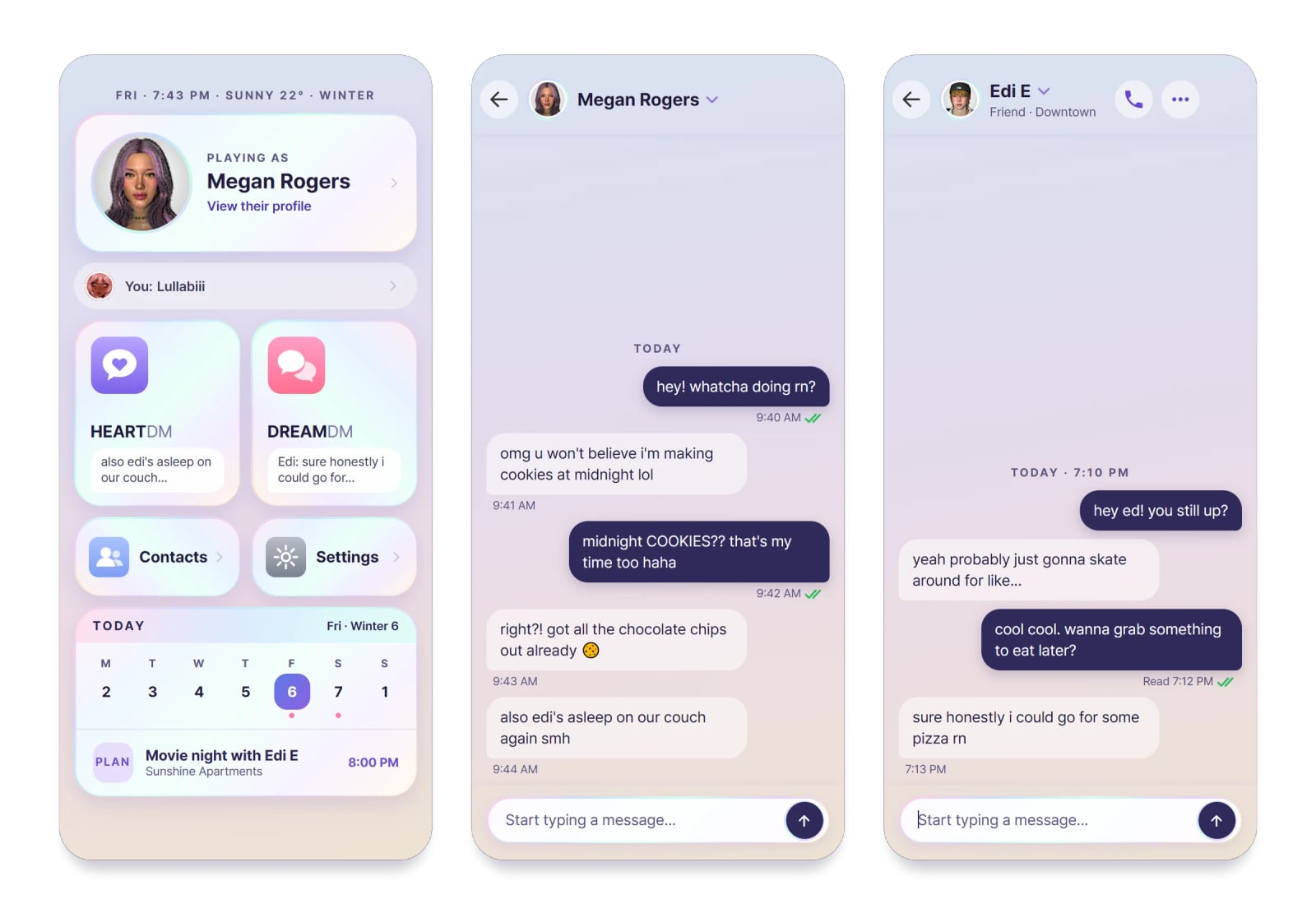
- HEARTDM: message the Zoi you are playing. Every Zoi has a separate chat, and changing Zois changes the phone you are using.
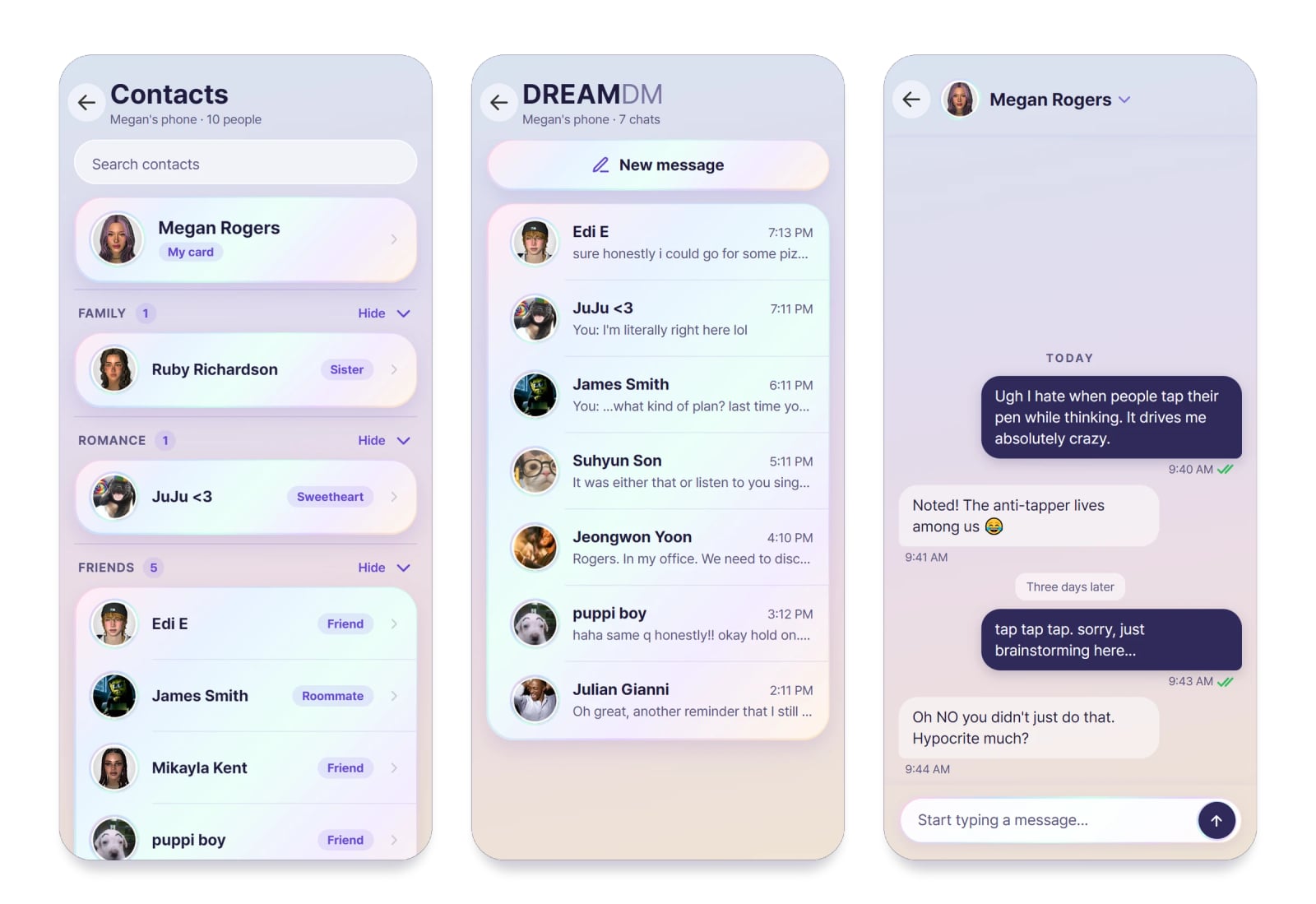
- DREAMDM: let your Zoi text friends, family, partners and rivals. Conversations include wrong numbers, teasing between Zois and news passed along through the grapevine.
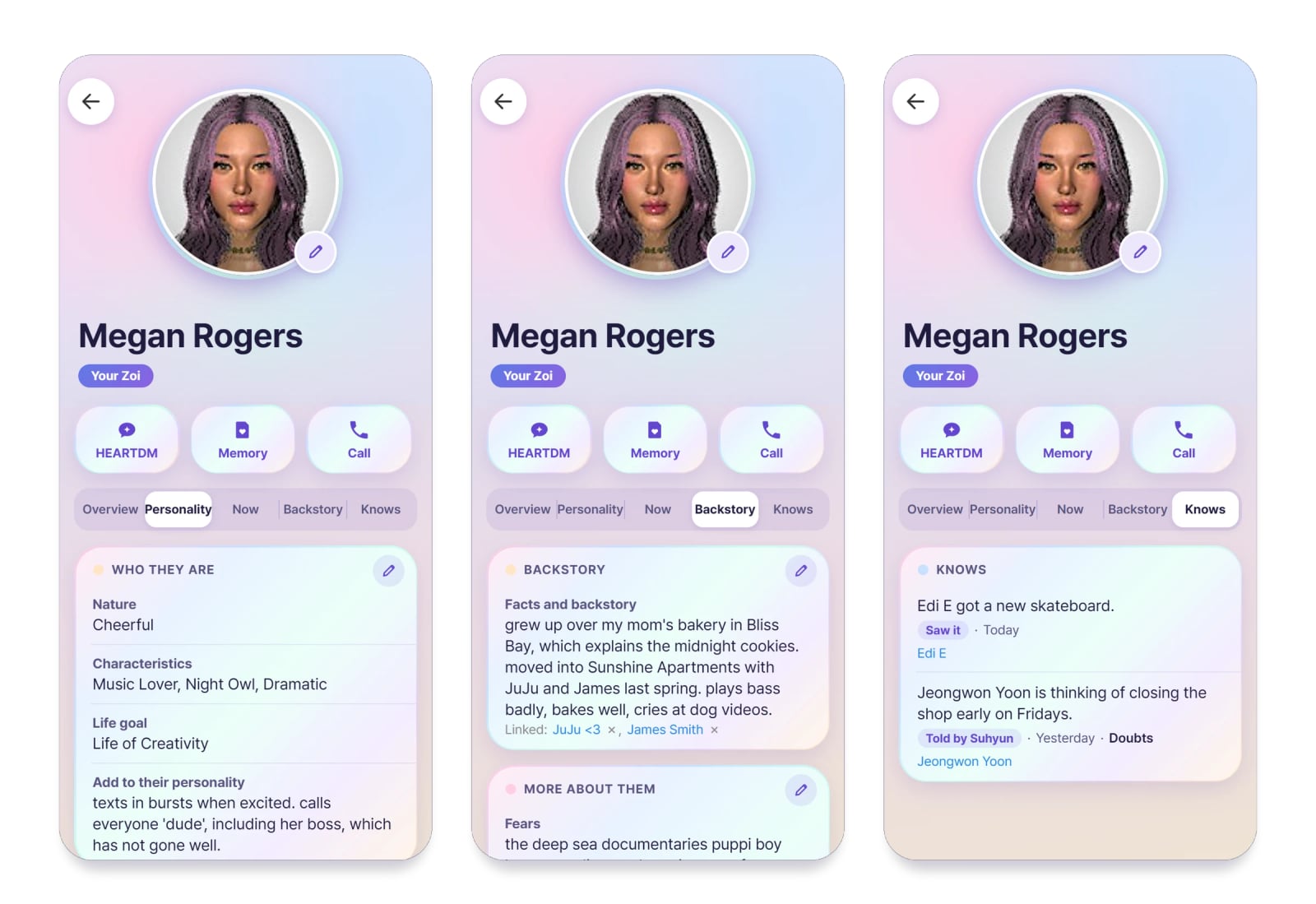
- They sound like themselves: each of the 52 traits comes in four flavors, while every Zoi has two or three texting habits, such as lowercase writing, one-word answers or several short messages in succession. Matching traits do not make two Zois text the same way.
- Real texting: messages include read receipts, tapbacks, quoted replies and typing dots that appear and disappear. A Zoi can send several texts together, leave a message read without answering, or respond later. Sometimes a thought cloud reveals what they left unsaid.
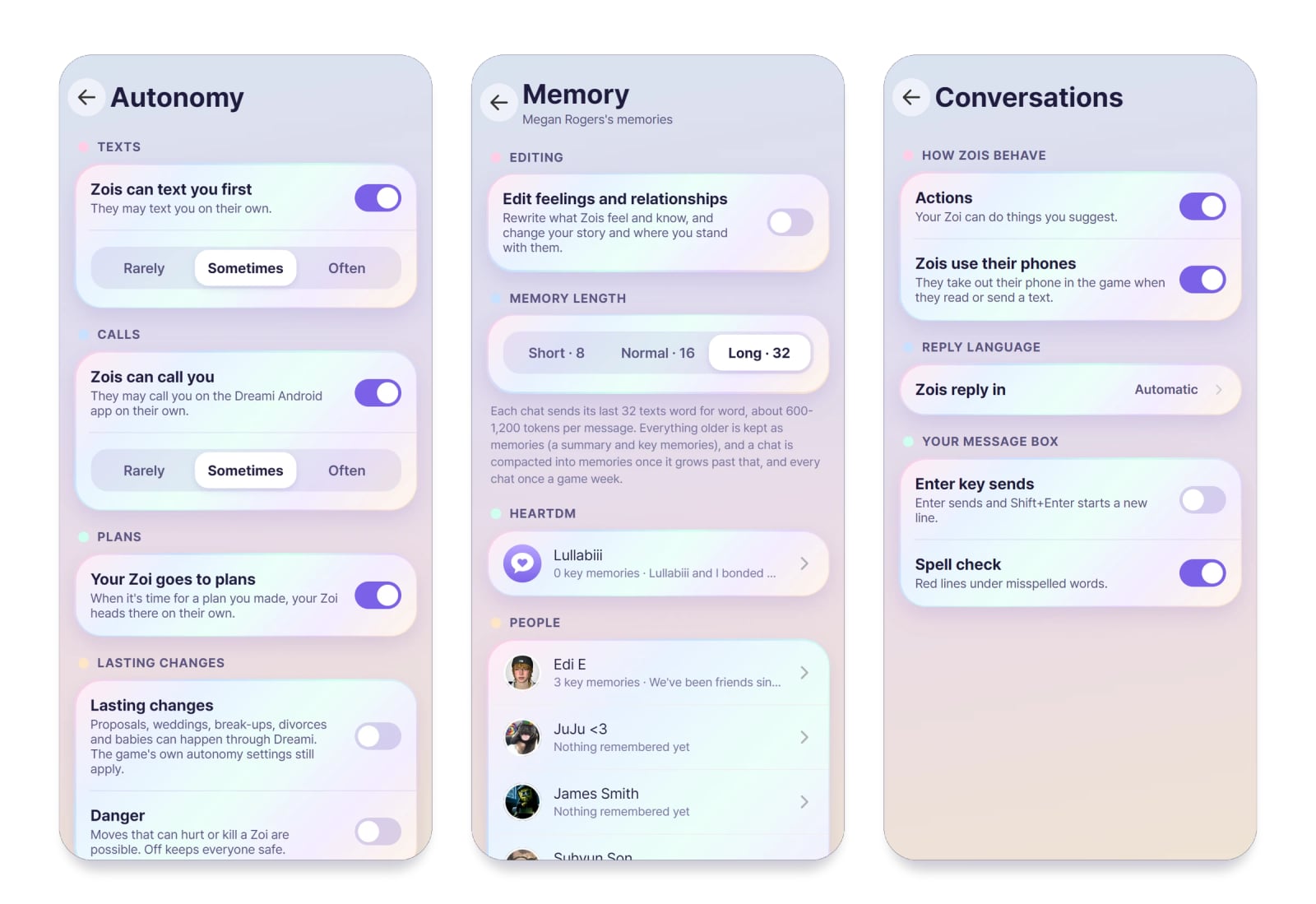
- Zois text and call first: friends reach out, share news and respond to important moments, with a real reason behind every message. Choose Rarely, Sometimes or Often, or disable this behavior. Messages started by Zois do not use your Dreami AI messages, and they have no daily limit.
- Plans become real meet-ups: make arrangements in a text by agreeing on a place and time, including wording such as “next Friday at 11”, and the plan is added to the game’s schedule for everyone attending. Zois drive, ride or walk to the meeting, greet one another and carry out the plan as a game event, whether it is a date, party, girls night, family dinner, study group or confrontation. A planned fight is played as a fight, with bystanders reacting to it.
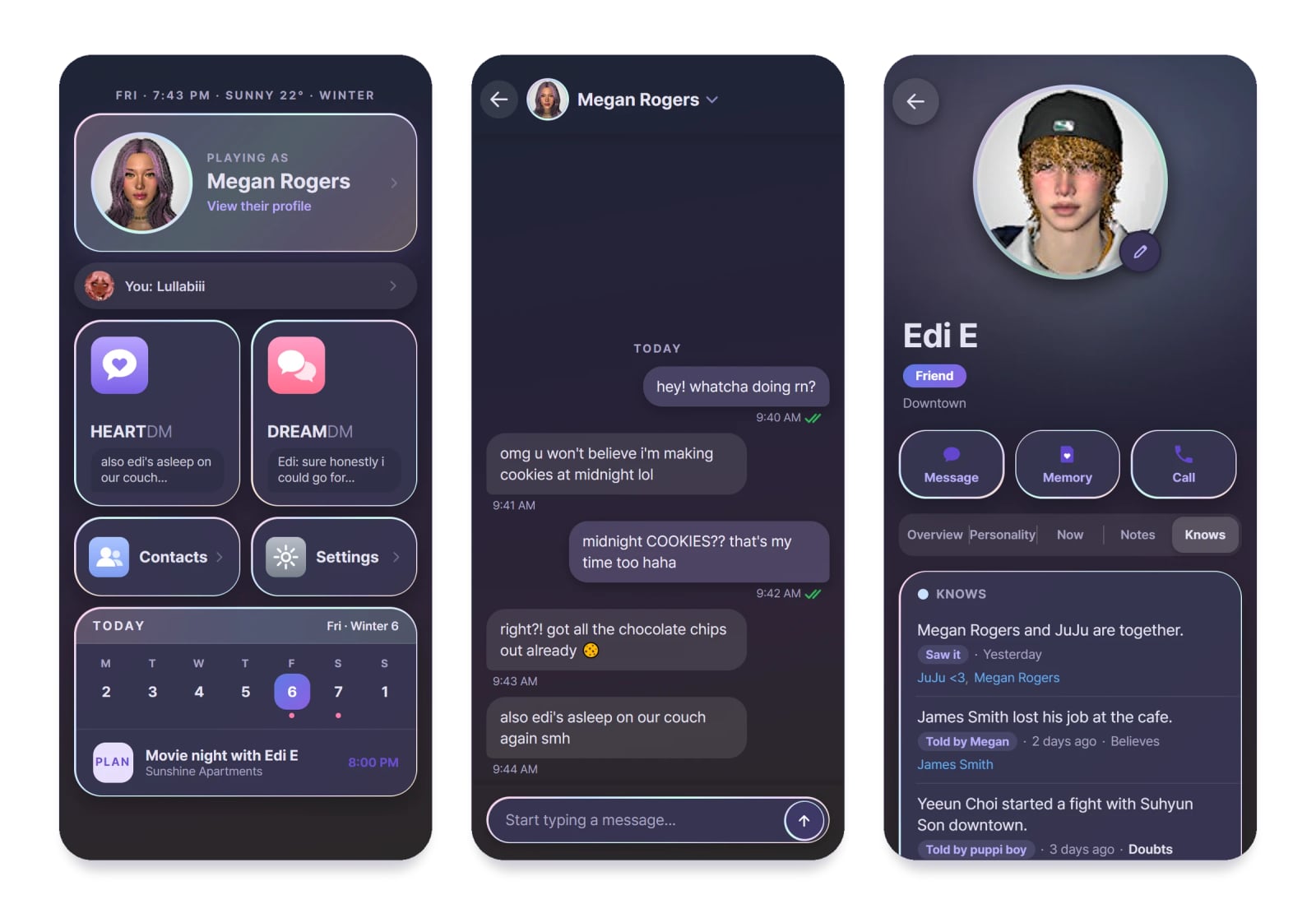
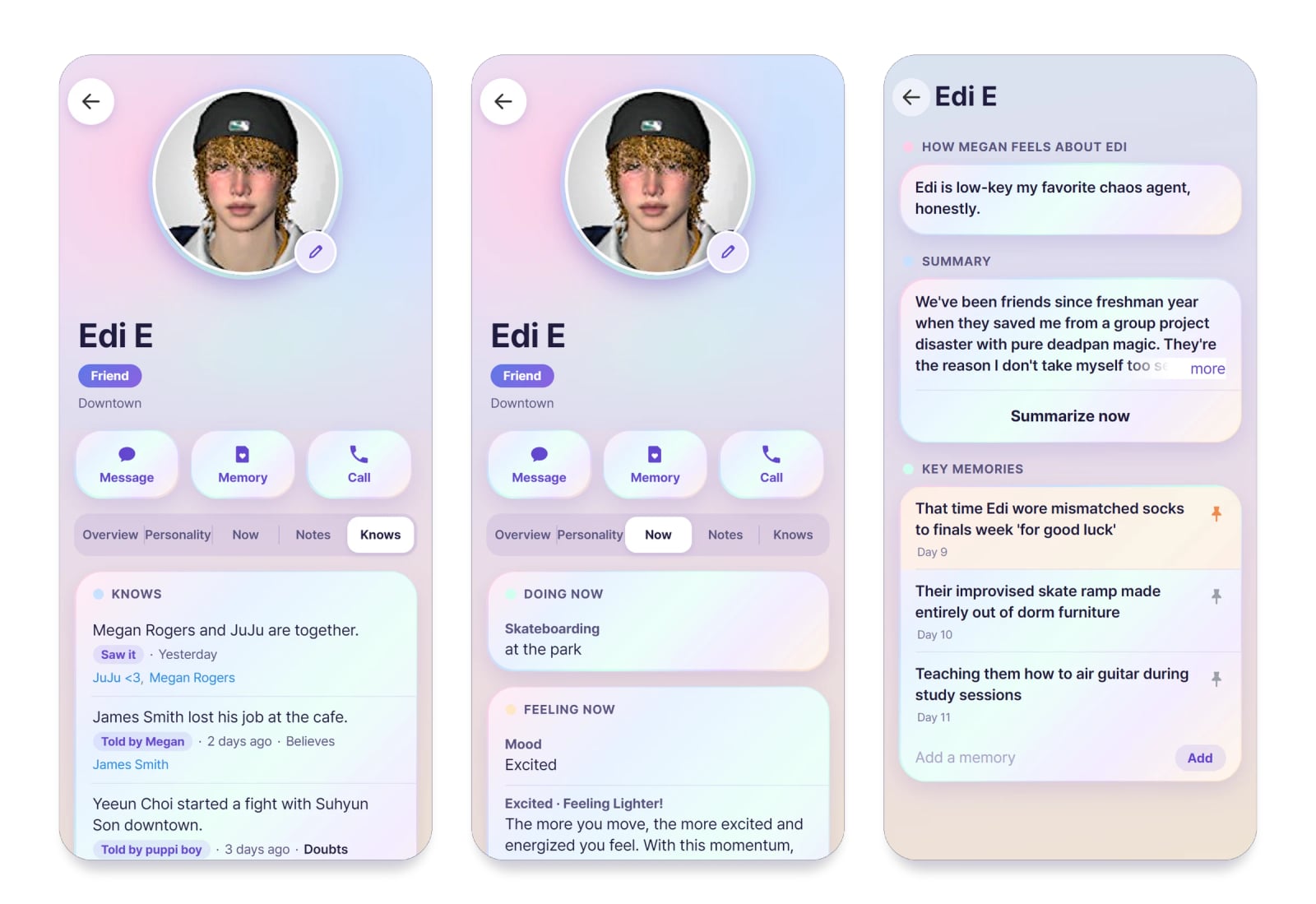
- News and gossip: a Zoi knows only what they participated in, witnessed or heard from someone else. Information spreads face to face and through text, and Zois may believe it or question it. Every card has a Knows tab showing what that Zoi knows and how they learned it, and you can correct the information there.
- Zois act on what they know: they can confront someone, search for proof, admit the truth, threaten to tell others or leave the matter alone. When accused, they might deny it, lie, accept responsibility or point to something you did.
- Memory: Zois retain what happened and record their feelings about you. Promises, jokes and arguments continue to matter. You can read, edit, pin or erase a Zoi’s memories, and the starting memory setting is Long.
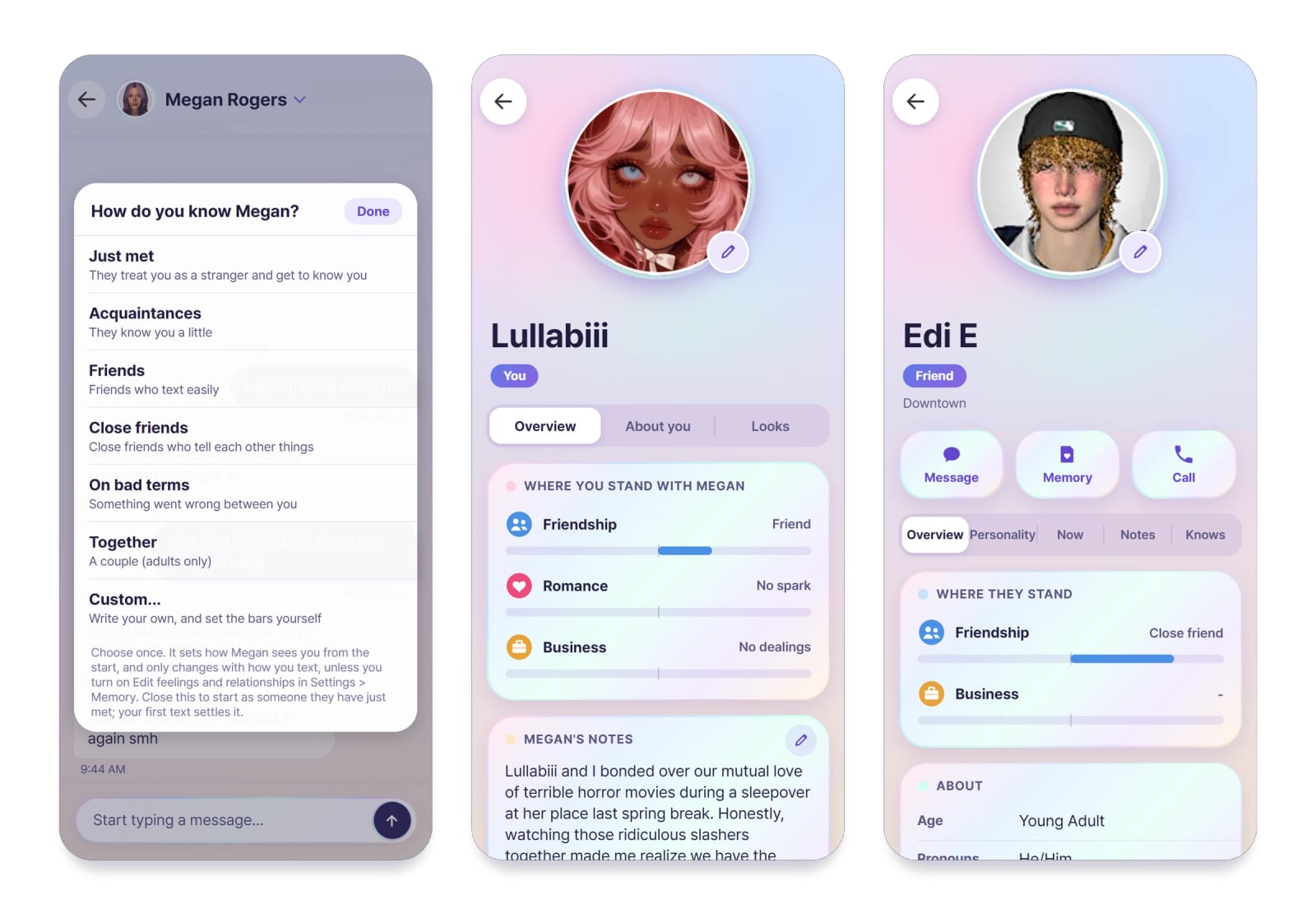
- Where you stand: choose how your Zoi knows you, such as just met, friends or together, or create your own account of the relationship. Friendship, Romance and Business change while you talk, with kind words, arguments, apologies and being left on read all affecting them.
- Blocking works both ways: use a Zoi’s card or the three-dot chat menu to block or unblock them. A Zoi may block you as well if you threaten them, treat them cruelly or continue after they tell you to stop. You can text a friend and ask them to speak well of you.
- They change with what happens to them: events such as a promotion, wedding, breakup or new life stage affect a Zoi. Their texting may become quieter, prouder or more bitter for a time before returning to normal.
- Zois act on what you say: ask a Zoi in any language to eat, sleep, shower, dance or hug someone. If they agree, they carry out that action in the game.
- Moods in the game: your words can give a Zoi a mood. Hover over the mood in the game to see who caused it, described in the Zoi’s own words. Their card’s Now tab explains how they feel and the reason for it.
- Contacts: the phone contains everyone saved by your Zoi, organized into family, romance, friends and more. To add a person, have your Zoi exchange contact information with them in the game.
- Make each contact yours: assign a nickname showing how your Zoi saved them, choose your own picture for their icon, and add notes plus extra personality or backstory.
- Tap a text: use tapbacks, reply, remember, copy and edit your own messages, or select Try again on the newest reply from a Zoi.
- Phone animations: when reading, texting or calling, Zois take out their phone even when that means putting down their current activity. If necessary, cancel the phone action from their queue so they can continue.
- Portraits: the app uses portraits from your own save. If a Zoi has no portrait, the app displays a small pastel shape instead.
- Light and Dark: go to Settings > Appearance to change the appearance of the entire app. The Android app uses the same selection.
- Android app (optional): use the same chats on your real phone, receive notifications and make voice calls. Call a Zoi or let one call you, with each Zoi using their own voice. Speech follows their mood and plays one sentence at a time as they speak. Chats remain readable while the game is closed, and messages you send are delivered when the game opens. A short code connects the app to your game.
- Your data: back up, restore or clear chats and memories, and turn off any features you do not want. Updates keep your backups and AI keys.
Specifications
- There are 52 traits, with four flavors for each trait.
- Each Zoi has two or three texting habits.
Requirements
- inZOI
- An AI text provider: your own key with OpenAI, Anthropic, Google Gemini, OpenRouter, DeepSeek, Groq, Mistral, xAI or Together, a program on your PC such as Ollama, LM Studio or KoboldCpp, or Dreami AI.
- An internet connection, unless the AI runs on your own PC.
- Optional: an Android phone for the companion app and voice calls.
Installation
- Unzip the download and put the
DayDream_763BB5E0folder in your inZOI InGame mods folder:C:UsersYOURNAMEDocumentsinZOIModsInGame
If the InGame folder doesn’t exist, create it and name it exactlyInGame. TheDayDream_763BB5E0folder must sit directly inside it. - Launch the game, confirm that mods are enabled, and check that Dreami is validated and enabled.
- Updating: copy the new
DayDream_763BB5E0folder over the previous one, then choose to replace the files. Your backups and an encrypted copy of your AI keys remain separate in:ModsInGameDreami_Backups
How to use
First time
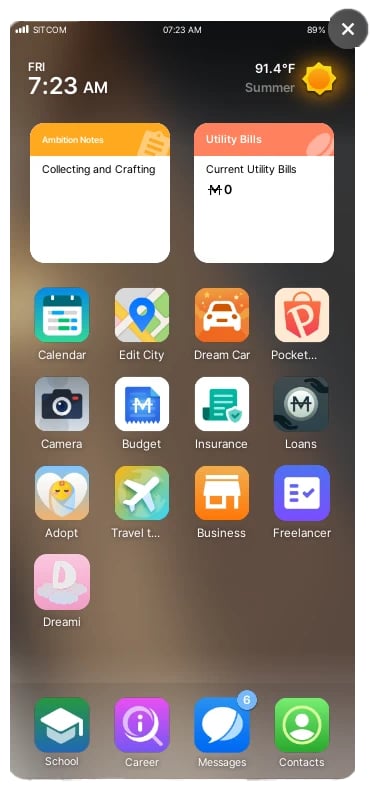
- Open the phone belonging to your Zoi. Once your last app has been installed, Dreami appears on the home screen.
- Tap Dreami to open its hub, which contains HEARTDM, DREAMDM, Contacts, Settings and your own profile.
- The first launch includes a guided tour of the screens. Replay it whenever you like through Settings > Replay tutorial.
- Open You and enter your name. Age, pronouns and all other details are optional, and your Zois use them to get to know you.
- HEARTDM, DREAMDM and Contacts appear faded until you set your name and select an AI. If you tap one before then, Dreami explains what is missing.
Text your Zoi (HEARTDM)
- Choose a standard starting point, or make a custom one. Your Zoi keeps that starting point for the remainder of your relationship.
- Write in the box and press Enter. Use Shift+Enter for a new line. Beneath your message, the status changes from sent to delivered and then read.
- Replies are not always immediate. A Zoi may answer, leave you on read, or be asleep or busy instead.
- Tap a message to open its menu, which offers tapback, reply, remember, copy and editing for your own texts. Remember pins the message as a memory.
- For a different answer, tap Try again on the newest reply from a Zoi.
Text other Zois (DREAMDM)
- DREAMDM shows the contacts stored in the phone of the Zoi you are playing. Select anyone listed and text as your Zoi. If a person is not in the phone, have your Zoi exchange contact information with them in the game, and they will appear.
- Select an existing conversation or begin a new one, then write as your Zoi. The other Zoi responds as themselves.
- Your messages can alter how the two Zois feel about each other.
Make a contact yours
- From Contacts, open a Zoi’s card. Use Nickname to change the name under which your Zoi saved them, then add notes, personality or backstory.
- For a personal picture, open the Photo Studio, select an image and copy its code. Tap the contact’s photo, or the small pencil on it, and select Paste Photo Code. The same process works for your own You card.
Zois text first
- Open Settings > Autonomy to enable or disable this and select Rarely, Sometimes or Often.
Your data
- Settings > Backups handles backup and restoration for chats and memories, while Settings > Clear data lets you remove any of them. Both options ask for confirmation first.
Known issues and troubleshooting
Include your log when submitting a bug report. How to find Dreami’s Log.